---
title: How can I share telematics data?
description: Connecting your telematics system to Tint is quick and easy—and only takes a few moments through the self-service portal.
---
[Skip to content](https://support.tint.ai/turo/how-can-i-share-telematics-data#main-content)
[](https://www.tint.ai/)
Open main navigation
Close main navigation
- [Contact us](http://www.tint.ai/contact-support)
[Contact us](http://www.tint.ai/contact-support)
How can we help you?
- There are no suggestions because the search field is empty.
1. [Off Trip Insurance for Turo](https://support.tint.ai/turo)
2. [Telematics Devices & Trackers](https://support.tint.ai/turo/telematics-devices-trackers)
March 23, 2026
# How can I share telematics data?
## Connecting your telematics system to Tint is quick and easy—and only takes a few moments through the self-service portal.
#### Step-by-Step: Share Your Telematics Data
1. **Log in to the self-service portal** [here](https://login.tint.ai/)
2. In the left-hand menu, click "Telematics"
3. Select your telematics provider from the list
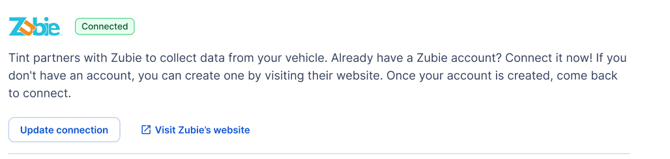
4. On the next screen click **Connect** next to your provider
5. Follow the prompts to authorize data sharing for your vehicles
6. Once connected, a confirmation will appear in your portal
#### 
#### ⚠️ Important Reminders
- **Each vehicle must be connected individually**—connecting one vehicle does not link your entire fleet.
- The **60-day grace period applies per vehicle**, starting from the day it's added to your Off-Trip Insurance policy.
- If a vehicle is not connected before its grace period ends, it will be **switched to the non-telematics plan** with the same coverage.
---
#### Vehicle Not Showing as Connected?
If you’ve already completed the setup steps above but your vehicle still appears as *not connected*, you can **manually mark it as connected** in the portal.
> ⚠️ This step **does not** replace the required setup with your GPS provider. Make sure that part is fully completed first.
**🎥** If you need help with the steps on how to manually mark your vehicle as connected, watch this [walkthrough guide.](https://www.loom.com/share/22b82934e3db4f0b829adc88c940d9cc)
Manually updating your status will create a telematics authorization in our system, helping ensure your connection reflects accurately while we await data flow from your provider.
---
### 📞 Need Help?
For further assistance, contact our support team:
📧 **Email:** support@tint.ai
📞 **Phone:** (909) 505-2338
🕘 **Business Hours:** 9 AM - 5 PM CT or 24/7 to talk to Aimee (our AI Agent).
*Disclaimer: Insurance is offered through Tint Embedded Insurance Services, LLC, a licensed surplus lines insurance broker, and underwritten by a non-admitted insurance carrier. In case of the insurance carrier’s insolvency, payment of claims may not be guaranteed. The information provided herein is for general informational purposes only and not intended as a solicitation of insurance. Such information does not in any way alter or amend the terms, conditions, or exclusions of any insurance policy. Insurance coverage may not be available in all jurisdictions or to all customers.*
- [General](https://support.tint.ai/turo/general#main-content)
- [About Tint](https://support.tint.ai/turo/general#about-tint)
- [Proof of insurance](https://support.tint.ai/turo/general#proof-of-insurance)
- [Coverage](https://support.tint.ai/turo/coverage#main-content)
- [Deductibles](https://support.tint.ai/turo/coverage#deductibles)
- [Account Management](https://support.tint.ai/turo/account-management#main-content)
- [Billing & Pricing](https://support.tint.ai/turo/account-management#billing-pricing)
- [Proof of Insurance](https://support.tint.ai/turo/account-management#proof-of-insurance)
- [Claims](https://support.tint.ai/turo/account-management#claims)
- [Endorsements](https://support.tint.ai/turo/account-management#endorsements)
- [Telematics Devices & Trackers](https://support.tint.ai/turo/telematics-devices-trackers)
- [Quote](https://support.tint.ai/turo/quote)
- [Renewal](https://support.tint.ai/turo/renewal)
- [Terms of Service](http://www.tint.ai/terms-of-use)
- [Brokerage Terms of Service](http://www.tint.ai/producer-terms-of-service)
- [Licenses](http://www.tint.ai/licenses)
- [Privacy Policy](http://www.tint.ai/privacy-policy)
[](http://www.tint.ai)
[mailto:email@email.com](mailto:email@email.com)
Copyright © 2026, Tint